

How To Bypass Windows 7 Password With Command Prompt
How to Reset Windows 7 Countersign Using Command Prompt
I am using Windows 7. I changed my local account password and I forgot where I wrote it down. I practice not have a countersign reset disk. Can I reset the password with Command Prompt? How can I practise that?
Command Prompt is a very useful tool for a diverseness of tasks, i of which is resetting Windows password. This commodity will show 3 different methods of resetting Windows 7 password using Control Prompt, and then tell you which the best method is to reset your password.

Part 1: 3 Methods to Reset Windows seven Countersign using Command Prompt
Command Prompt tin can exist used in different situations. Here are three methods to utilise Command Prompt to reset Windows vii countersign.
Method 1. Use Command Prompt with Another Ambassador Business relationship
Admin accounts requite you almost complete control over your PC. They let you to install any software, brand changes to organisation settings and create/remove user accounts. In Windows 7, you tin can reset a user account'due south countersign using some other Administrator account on the device. If you lot have another admin account setup on your Windows vii PC and you have access to this account, then past using Command Prompt, yous will be able to reset the password for the desired account. To practise this, you will need to login to another admin account that you have admission to. Once you have done this, y'all will need to follow these steps.
-
Search for "CMD" or "Command Prompt" in the Window's starting time menu.
-
Correct-click this option and click on "Run as Administrator".
-
Click on YES on the dialog box that appears.
-
You will see a black screen with white writing appear. To reset the password of a user account, you will beginning demand to type "net user" and and then press the Enter key on your keyboard. (Type net user without the quotation marks)
-
A listing of all the user accounts on your PC will appear.
-
To reset the password, type "net user ACCOUNTNAME NEWPASSWORD", for example, net user default abc123.
-
Your new password will be the called password.
You can now log out of your current user business relationship and log into the account with the changed password.

Method 2. Use Command Prompt in Windows 7 Condom Mode
If you do not have another Windows 7 administrator account that you lot tin use to reset a password, you tin still utilise Command Prompt but this time in safe mode to reset the password of your account. In this situation, we will make utilise of the subconscious administrator account. Commonly, the hidden administrator account is disabled and have no countersign on it. If you have enabled this account before, and so y'all can reset Windows 7 password with CMD.
-
Shutdown your PC and so turn on your Windows 7 PC.
-
Every bit the PC is booting up, repeatedly printing F8.
-
Yous will meet a list of options. Use the arrow keys to navigate to the options that says: "Safe Mode with Command Prompt" and press Enter.
-
The hidden administrator account will show upwardly. Select it to proceed.
-
Use the same net user commands which were shown in method 1 to reset the password.

Method iii. Reset Windows 7 Countersign with Command Prompt on Login Screen
Here is another method to reset Windows seven password with Command Prompt. For this method, you will need a Windows seven installation disk. If this did non come with your PC, and so y'all will need to purchase ane. You tin can either create your own installation disk past using a USB bulldoze and and so turning it into an install disk. Following is a detailed instruction to reset Windows seven user/administrator countersign using Command Prompt.
-
Insert the Windows 7 install drive and restart your PC. You lot should see a Windows vii installation screen.
-
Click Adjacent on the screen and cull "Repair your reckoner".
-
Expect until your Windows 7 has been found and annotation down the location of the disk.
-
From the System recovery options, cull Command Prompt.
-
Re-create the following command and and then printing enter:
re-create d:\windows\system32\utilman.exe d:\
If your Windows 7 install location was different, then change the letter "d" with the correct ane, for instance, "c". -
Then type the next command equally follows:
re-create d:\windows\system32\cmd.exe d:\windows\system32\utilman.exe
Over again, you may need to modify the letter of the alphabet d with the other alphabetic character for your install location. -
Blazon Y and then printing Enter in one case the process has completed.
-
Reboot the PC and click the Ease of Access button at the bottom left of the screen.
-
Choose Command Prompt if it doesn't come upwardly and then reset your password using the aforementioned cyberspace user commands equally the ones in Method 1 and Method two.

Role ii: Failed to Reset Windows vii Password with Command Prompt? Try Passper WinSenior
If y'all failed to reset Windows 7 password with Command Prompt, there are still other methods to reset Windows 7 password. The most effective and easiest method is using a password reset disk. In the situation where you do not create a password reset deejay beforehand, you can plow to a Windows countersign reset tool. The top tool we would like to recommend is Passper WinSenior Windows Password Reset Tool. It's a comprehensive tool that can exist used to reset, remove, create and delete Windows passwords and accounts.
Why exercise we recommend Passper WinSenior to you?
-
Information technology can reset all passwords for local Windows accounts without reinstall or reformat your operating organisation. Therefore, you won't lose whatsoever data on your calculator.
-
It tin reset Windows 7/8/viii.i/10 passwords with 100% success charge per unit in one 2d.
-
It offers detailed instructions on the screen. Fifty-fifty if you are a computer newbie, you lot can easily reset countersign for your account.
-
The tool allows yous to create a countersign reset disk with 2 options: with CD/DVD or with USB drive.
Now, let'southward explore how to utilize Passper WinSenior. First, you demand to download the program and install it to an attainable computer.
Gratuitous Download For Win 10/8/7/XP/Vista
Step 1. Launch Passper WinSenior on another computer that you have access to. Insert a blank CD/DVD or USB drive to create a password reset disk.
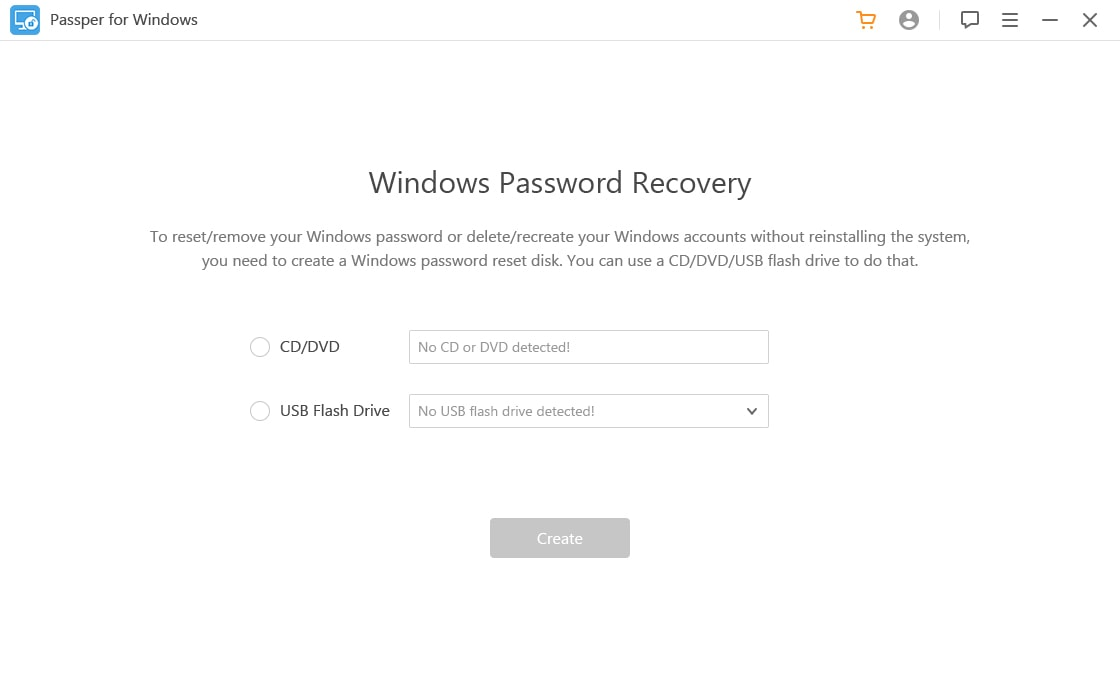
Step two. Then insert the CD/DVD/USB reset disk into the locked computer and press the special primal to kick your computer from the CD/DVD/USB. Passper WinSenior offers detailed guide. Y'all can follow the instruction easily.

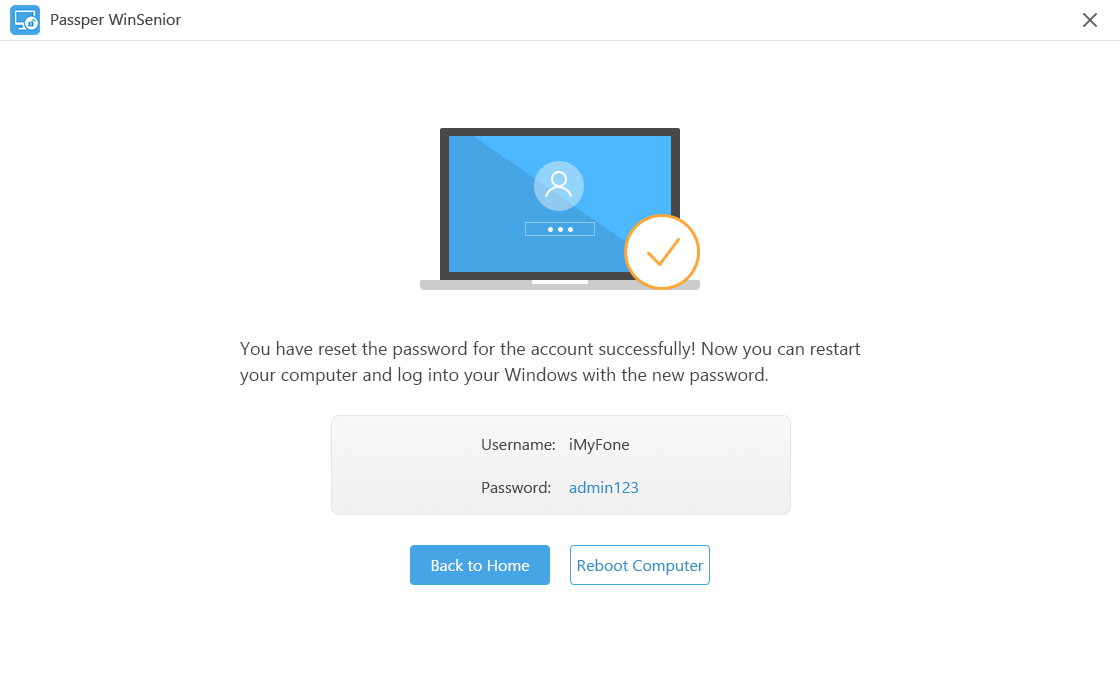
Step 3. Once your calculator boots from the CD/DVD/USB, yous can meet the interface of the Passper WinSenior. Select the Windows OS and press "Side by side" to choose "Reset Windows Password" to reset your password. You will receive a notification that the password has been reset successfully. Click on "Reboot Computer" and eject the CD/DVD/USB flash drive and then click "Reboot Now" to complete the process. Utilise the new countersign when the computer powers on.
Role 3: Comparison of the To a higher place iv Methods
| Methods | Success rate | Complexity | Recovery time | Demand installation disk or non |
| Use Control Prompt with Another Ambassador Account | 100% | Complicated | Medium | Doesn't need |
| Use Command Prompt in Windows seven Safety Mode | 50% | Complicated | Medium | Doesn't need |
| Use Control Prompt from Login Screen | ninety% | Complicated | Long | Need |
| Passper WinSenior | 100% | Easy | Short | Doesn't need |
Conclusion
This article has explored various methods in which you tin can reset Windows 7 countersign using Command Prompt and a reliable software plan named Passper WinSenior which is an splendid tool that is constructive for resetting your Windows 7 password with 100% success rate. We exercise hope this article is helpful to you. If yous know other methods of resetting Windows 7 countersign with Command Prompt, yous are welcomed to leave the states a comment.

How To Bypass Windows 7 Password With Command Prompt,
Source: https://passper.imyfone.com/windows-7/reset-windows-7-password-using-command-prompt/
Posted by: houghfroopped81.blogspot.com
0 Response to "How To Bypass Windows 7 Password With Command Prompt"
Post a Comment